To mend, fix, or repair anything, click here
To return to the front page, click here For help with using how to mend it .com, click here
To add a question, click here To see the most recently added questions, click here
To search how to mend it .com, click here Good at fixing things? To see unanswered questions which you maybe able to answer, click here
 
search: Go 
Fixed for free!
Popular

These categories may also be of interest ...

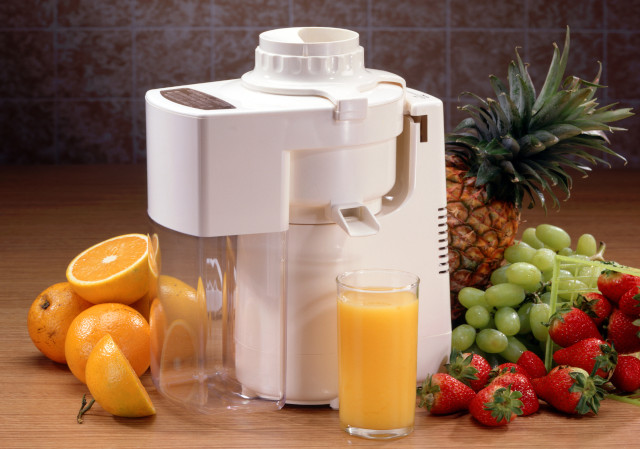
Kitchen Appliances, Juicers

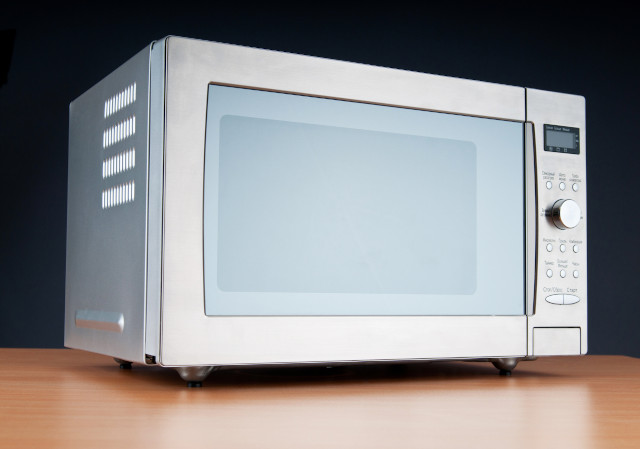
Kitchen Appliances, Microwaves

Kitchen Appliances, Refrigerators

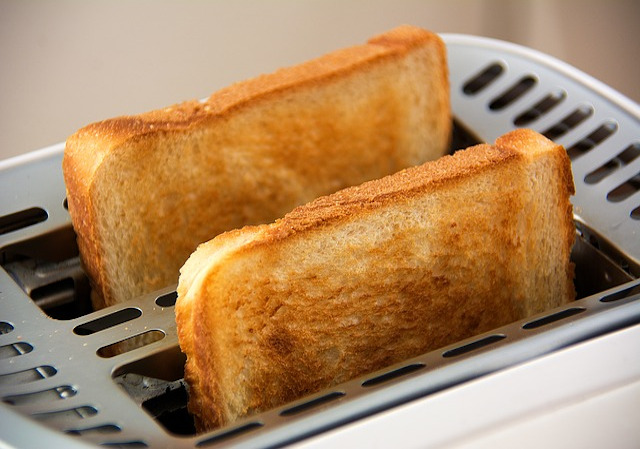
Kitchen Appliances, Toasters

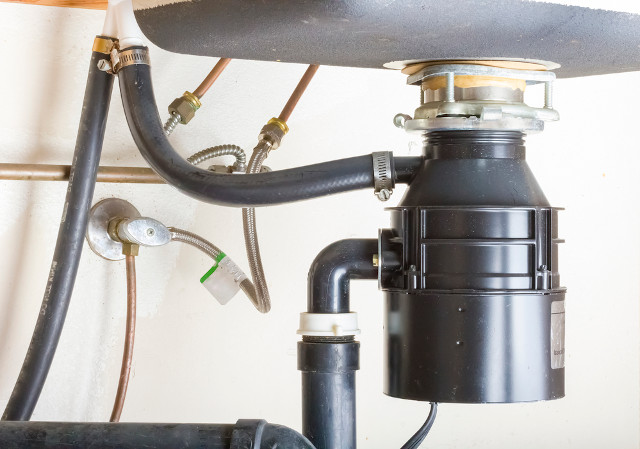
Kitchen Appliances, Waste Disposal Units

Full list

... mend, fix, or repair just about anything.

Help someone
   

Click here to help

Fault info.
Click here for Lumicron repair information.
First time?

howtomendit.com costs nothing to use and you can ask a question without an account or logging in.

Click here to ask a question.

Answers

Who answers the questions?

Other users of howtomendit.com provide the answers. The more detail and information you provide in your question the easier it is for others to help you.

About us

howtomendit.com is a free website which can help you find information help and advice to help you fix or repair just about anything.

You ask your question.

Others will try to help you.

See how simple it is. Click here to ask a question.

Mend it
How can I fix Yahoo Messenger?
Categories > Kitchen Appliances, Dishwashers > Question
Q & As - mend, repair, fix kitchen appliances, dishwashers, dishwashers, wash, plates, glasses, cycle, water Navigate to ...
Kitchen Appliances, Dishwashers (15023 other questions)
Add a question
Other categories


Question - mend, repair, fix

My Kenmore Ultra Wash Dishwasher has control panel problems?

I can't get the dishwasher to start, the control panel says the washer is in the "locked" mode. After reading the manual the "no heat/dry" button is the re-set button to "un-lock" the unit, doesn't work. Tried flipping the breaker to re-set the panel, got it to work one cycle (yeah) and now I can't get it to re-set again. I left the door open overnight in hopes of re-setting the control panel memory and it looked like it was going to work and now nothing works except "cancel/drain". Any advice would be greatly appreciated.

Cherri
December 2005
To add an answer, click here To add a new question, click here To find all other questions, click here

Answers - mend, repair, fix

It worked! It worked ! After doing so many combinations as others had mentioned I finally got it to work by holding down the heated dry button for 10 seconds, didn't work the first time but the next time it did! I was finally able to get the dishes to wash. Lesson learned I'm not locking the dishwasher button again!!!!!!!!! WHEW glad I didn't have to call anyone out!

MommyOfFour
July 2010
hello everyone, i have a problem with my kenmore ultra wash dishwasher... there is a piece under the module that broke, it looks like a while ring...can anyone tell me where can i get replacement parts?

Edna
July 2010
Thank God for you guys. the alternating buttons thing worked!!!! i just lost my job and SO could not afford to fix this thing. thanks so much.

Robert Guidry
July 2010
Thanks for all your suggestions! We have been having issues with the control panel for a few months on and off!! Price of a new panel had me pricing low end dishwashers...read your suggestions and it worked!!

Thank you!

Michelle
June 2010
I looked at the above posts and tried holding and pushing EVERY button combination there was. I finally opened the door of the dishwasher by removing the 8 hex screws. Then opened the black box covering the panel. I unplugged the green and black (ribbon cord) to the circuit board and the dishwasher worked once again. Thanks for ALL the different possible solutions.

GabeD.Bunn
May 2010
thanks for the help. Unplugging the ribbon in the control panel worked for me. Thanks for all the help.

deb
May 2010
we had the same issue as thom and andrea, only our keypad wasn't lighting up at all. went through the same steps 1. power off 2. unplug ribbon from control board (17 pin connection) 3. power back up 4. close dw door. That sequence told us it was our keypad, not the control board because the motor turned on for 2 min. At that point i turned power back off, reconnected the ribbon and like magic, IT WORKED!!!!
I'm still waiting too see if my keypad malfunctions again, but so far so good : )

brandon and katrina
April 2010
We just moved into a home with this dishwasher and had the same problem. We had no manual from the former owner. The dishwasher Lock light went on but we couldnt' get the washer to start. Tom (top of this page), was really helpful. Remember: It is important to HOLD THE NO HEAT DRY (it has a lock icon next to it) BUTTON DOWN FOR 10 SECONDS OR UNTIL THE LOCK LIGHT GOES OFF. Then press start. Tom not only saved us a lot of frustration, but also saved us big bucks ($95 for a repair visit).

Joan
April 2010
Thom and Andrea, Thank you for the tip. I was able to reset the control panel by disconnecting the band you mentioned.

April 2010

CM
April 2010
my dishwasher will not get past the wash cycle
It will wash for hours but nothing else? Can I fix this myself?

Kat
March 2010
Can anyone provide help with removing the control board on a Kenmore Elite model 665?

Tom
March 2010
Like many before me here, holding in just the "No Heat Dry" button for about 10 seconds extinguished the "Control Lock" light. Thanks for the tip!

Tim H.
February 2010
Wow.I am not the only one. my Kenmore quiet wash is 3 1/2 years old. When I press the start button, no light comes on.No light comes on when I press Cancel/Drain and no light when I press delay. All the other buttons on left light up. I did try to reset by pressing temp for 5-10 seconds. Nothing.
Any ideas

brad
January 2010
my dishwasher doesn't have heated dry option but does have air dry and high temp and sani rinse. my air dry/lock button is flashing. normally if it is locked it will stay lit. mine is flashing. how do i reset and use my machine?

Kay
January 2010
my problem is lock on light keeps blinking , if i press any button then quick rinse start blinking too.. they both blink aimlessly....tried everything .. took the back off.. all those combanitions.... any help how to fix ??

Emr
January 2010
Thank for this invaluable information. Christmas 2009 with all of the family dishes to do. My Clean Dishes light was flashing and nothing else would set. I disconnected the ribbon and power and POOF I was back in business, Thank You.

Jto the Waters
December 2009
Thank you Thom and Andrea that fixed mine. I had the DW turned upside down to replace the motor and some water ran in the control panel circuit board. Read another thread explaining how to blow the water out. Which I did and still had the lock light on. Performed the proceedure you described and bingo! The internet is full of helpful people.

Paul H
December 2009
Our Kenmore does not have a "no heat" button ,just an air dry/lock button . Machine wont start but will run a drain/ cancel cycle . Help ?????

Karen
November 2009
Thanks for all the helpful answers. My lock button went off after holding "heated dry" for five seconds. Dishes are washing now.

Sue
November 2009
All of the lights flash and stay lit up. And it won't turn on. What can I do?

anna
October 2009
I'm on my third control panel. The second one it turns out was still working but had solder eruptions all over the board, so a new one would have been necessary shortly anyway. The real problem this time was the thermal fuse -- open circuit. Fuse is located on the edge of the control panel plastic housing and has two tan wires connected to it. $12 part.

rich
October 2009
Thank you for all the advice! We unplugged the riobbon, reconnected everything and it works!

Angie
September 2009
Great information on this site, great job sharing info. So I tried holding the no heat button and the lock flashed on, so i did it again and the no heat button came on etc etc. I switched off the main power to the dishwasher and when I turned the power back on the lock light was off and the no heat light, within one minute the lock light was on again.
My next plan it to take it apart, when I remove the panel is it the entire frount panel on the inside? That seems to be the only way I can figure out how to get into it. I am not adept with this kind of task so any help is appreciated.

Pine
September 2009
I could not get the green lock light to go off and thus the dishwasher would not run. This is the first time I was trying to run the dishwasher. We just put the thing in today. But, thank to all of you holding down the "Heated Dry" button down for 10 sec. The "lock light" cleared. And its working for now. THANKS

Deb
September 2009
holding in just the "No Heat Dry" button for about 10 seconds.

Worked for me.

Thanks

Skelly
September 2009
My problem was with the lock on button blinking but could not reset by holing down the buttons.
I just fixed mine by securing the power, then opening the control panel and then unhooking the control panel ribbon then turning power back on and plugging the ribbon back in. Thanks for the advice!!!!

Brandon
September 2009
Thanks for helping me fix my dishwasher!!

xElleNx
August 2009
Just fixed/reset my Ultra Wash Model 665.1595 with a stuck on "Control Lock" light by holding in just the "No Heat Dry" button for about 10 seconds. (No idea why it turned on to begin with though.)

Rob P.
July 2009
I have a Kenmore Quiet Guard, and it doesn't have the buttons you are talking about :o( The start button just blinks... It has a start button, hi temp and heat dry button... any thoughts on how fix?

KC
July 2009
THANK YOU!
The green "clean" light was blinking and nothing would work. After reading just a few posts, I decided to try to "reset" the control panel. Amazingly, after hitting the "sani rinse" and "heated dry" button, it works!

Sheila
June 2009
We too had the "lock" button stuck on. After searching the internet we found that behind the kick plate was the "tech sheet". This sheet tells you how to perform a diagnostic test to determine if your key pad is bad or your control panel is bad. It had us cut power to the washer, take off the control panel (6 screws) and unplug the keypad ribbon from the control board. We then reassemble the control panel LEAVING THE RIBBON DISCONNECTED, turned power back on, waited 5 seconds and closed the door. At that point if the washer started a motor spin for 2 minutes, the the problem is with the keypad not the control board - ours did. We then turned power back off, opened control panel again and reconnected the ribbon, turned power back on and that happened to be enough to reset our keypad but if it hadn't, there are further instructions on that tech sheet to then diagnose the keypad. Our next step would have been trying the reset trick - ours is heated dry, normal wash, heated dry, normal wash within 6 seconds. My husband swears he will never use the lockout button again - we'll see if yelling at the 2 year old everytime we use it is easier!

Thom and Andrea
June 2009
I had the lock blinking problem. The hold-down-5-seconds is in both the manual and printed on the top of my dishwasher (665-15979992). I tried that many, many times... and after reading the thread, tried various combinations of "no heat dry," "sani wash," and "water heat". No dice.

Finally I took off the front panel (top 4 screws only, use either a torx or a 3/32 hex) and disconnected it from the unit. In this model apparently there's nothing cleanable, but after I reconnected it, that was apparently enough to reset the panel. Hit Start and it started!

Don't know how long that will last, but it does seem to be an awfully stupid washer.

andrea
May 2009
if holding no heat works, hold rinse only instead

Koz
April 2009
Im in the US and i just pressed the heated dry button the hi temp wash alternatively about 4 times and the panel reset. now it works!! sweet!

rob
January 2009
I have a Kenmore Ultra Wash with blinking Lock On LED? I tried the whole 'hold in the no heat dry for 3, 5, 10 seconds and no go....any tips?

Thanks

Matt
January 2009
I had the same problem, flashing green clean light. After reading all these ideas, I pressed the "sani rinse" button and the "heated dry" button alternatively 3 times, and all the contol panel red lights went on, then off, and the unit was fixed!

Yay!
December 2008
my dishwasher seems to have water in the panel, you can see it in the buttons when you push them. all that will work is the cancel drain button nothing els works and will not wash dishes. any suggestions?

Joshua Holden
December 2008
I too was having problems where my Kenmore dishwasher (665.16769000) would not start. The control panel was not locked, it just would not start when the start button was pressed. I could take it apart and disconnect the control panel and get it to work for a few cycles. Thanks to Shaun Wilson and his reset solution (Hi Temp - Air Dry - Hi Temp - Air Dry) I do not have to take it apart anymore. Thanks again Shaun!

Jeff F.
November 2008
Kenmore Ultra Wash door part 3384256. Read the thread. Mine came with the house also. Did we all get some defective unit sold to contractors? Holding the no-heat button worked a few times but now my unit isn't running at all. Got any other tricks before we call the Sears-Home repair?

applied hold failed
August 2008
LOL after reading his whole thread, and trying EVERY SINGLE idea...Hitting every button in combination, I finally got to the end and read the last one...counted 5 seconds as I held the heat button down...shazzam...AND...lol....wife is so impressed, I'm getting lucky tonight!!! This website's getting bookmarked lol...Nighty night!!!

MCJeffree
July 2008
The only buttons on my control panel that light on and/ off are the heavy wash and heated dry. I don't have a No Heat button on mine. Not sure how old mine is (moved into house 1 year ago.) Repair man said I have to replace the entire control panel 100 + labor. Any suggestions before i bite the bullet?

thrifty1
July 2008
Cherri,

I had same problem. Hold the "no heat" button in for several seconds until the light goes off.

chris
June 2008
What an amazing website!!!! Our dishwasher panel started flashing on the "Control Lock" a few days ago. It took a couple days to fill it with dirty dishes, and all the time I ignored it and figured if it didn't work, the "dish fairy" would come in at night and do them by hand, but alas, tonight after dinner, my partner informed me that when I agreed to "do the dishes if you cook" didn't include the caveat of 'if the dishwasher is working'. Rather than dive into a disgusting bowl of soapy dishwater I decided to try the web. Viola!!! Holding in that "No Heat" button did the trick! No dishpan hands for me tonight! Thanks!!!!!!!!!!

Doug J
June 2008
Holding in No Heat for 5 sec worked for me.
Thanks

wonderdad
May 2008
Thanks for getting THIS computer to fix THAT computer! Two heads are better than one!

Jenny B
May 2008
I just had the same thing happen on mine, model # 17772, looked at manual and it suggests holding the no heat dry button, tried several times without any change, googeld the model, found this site, read the thread, went back to dishwasher, retried...and sure enough it unlocked and is running as I write, keep trying.....

mother of 3
May 2008
I've had my Kenmore Ultra Wash Dishwasher with Quiet Guard1 for 4 1/2 years and the control panel has failed 3 times. The 2nd time was within 2 weeks of the 1st failure. According to Sear's appliance repair there is a "flash" that the control panel has been redesigned! (I think the redesigned panel was installed after the 2nd failure.) Obviously there is still a defect with the control panel.
I've spent almost as much on repairs as I paid for the dishwasher; think I'll cut my losses and buy a new dishwasher under warranty. Buyer beware...take out the extended warranty on this product.

Peggy
April 2008
Press Hi Temp, Heat Dry, Hi Temp, Heat Dry. You will see all lights flash and it will be re-set. You probably need a new heating element. Until then, you can probably have it work if you make sure the heat dry is off. You will have wet, but clean dishes...

Shaun Wilson
March 2008
This was the first site that appeared in the search engine. Everything is working now. Thanks for the help. I was amazed how easy it was to fix. Keep up the good work!!

Mike
December 2007
I just tried holding the "no heat dry" button for five seconds and Voila! It was back in service. Thank you!

Elain
November 2007
And yet another one fixed by holding down the "no heat dry" button!!!

Dennis & Angela
October 2007
I was amazed that this website appeared when I keyed in "Kenmore dishwasher control lock"! And yes, holding the no heat dry button fixed the problem. I am so grateful. What a world this is!!!

Carol
August 2007
I had the same problem. You need to replace the front console with all the buttons on it. It is one piece and about $120 from Sears. I would also replace the vent in the door for another $7. It takes about 15 minutes if you have the correct size torx screwdriver. Take off the inside cover, remove the circuit board, jiggle the console out, put the new one in and you are all set.

Harry
July 2007
In Canada perhaps, as I am in CANADA .. the Air Dry & Lock On button are the same button, there is no Heat Dry. Last night I did press & hold as the instructions on the door read BUT nothing. Today I came to the web. I held the Air Dry button again & it worked! I did hold the button believing if it worked for everyone else then it would work for me! Ta Da.

Tiny
July 2007
Amazing! I have been fiddling with our washer trying to start it for the past 12 minutes. Like others, it came with the house and no manual is available. I pressed the no heat/dry button for about 5 seconds, it flashed, then I pressed the start button and now my washer is working. I don't know how long this will work but at least I won't need to handwash dishes just yet!

What an amazing website!

Heather
June 2007
We've had the Kenmore Ultra Wash with Quiet Guard dishwasher for about 9 years and just had the "Control Lock" problem for the first time today (5/8/07). I looked for the manual and couldn't find it so I resorted to the Internet. I came across this website and tryed the recommended holding down the "No Heat Dry" button for about 5 seconds. The "Control Lock" light went out and I was able to start the dishwasher. So far, so good. Thanks for sharing so I could remedy the problem.

Laura
May 2007
I hold down the no heat dry button for 5 sec and sometimes it will blink. Still have no idea. I had this happen before and then it worked for a cpl months. Now its on again. I have no idea how i fixed it before.

HELP!!!

Mike Guilford
March 2007
This site is amazing. Holding down Heated Dry worked. Thank you all.

Rob Keown
March 2007
I have the same problem,holding down the NO HEAT DRY button for about five seconds did work and it is working fine

Don
February 2007
It's working now. I pressed the WATER HEAT and NO HEAT DRY buttons alternatively for about 5 times each. The next day everything started to work again.

(I found that advice on the Internet)

Paul
October 2006
I have the same problem with my machine always saying "LOCK ON". Holding down the No Heat button takes the lock off, but I can't get it to start all the time. Sometimes when I can get a Normal Wash to start, it keeps stopping and the LOCK ON light goes on, then it goes back to a Normal wash, then back to LOCK ON, etc... Strange.

Paul
October 2006
my gosh is this a defect? we are having the same problems!

jill nunn
June 2006
I had the same exact problem ... and I couldn't find my manual. Your web site saved me from frustration! I, too, will put this web site on my favorites!!!!

JGL
June 2006
thanks for the tip on holding down the "No Heat Dry" button. It took care of my problem in short order. I'm adding this site to my "favorites" list!

Blessings,
TR

TR
May 2006
Good news! I just wrote about my Kenmore. After talking to a repair man, I tore the whole door apart again (about 15 minutes if you have the right screwdriver) popped out the inner button panel, removed all 10 plastic buttons and sprayed them with WD-40. Evidently they wear or dry out. Now it's back together and working like new. The repair guy told me this is only a temporary fix, but no sweat, I can repeat it every few months if needed. $500 saved.

Lee
February 2006
My control buttons gradually failed more and more, working only intermittently. I was told by the repair guy that when the Kenmore buttons fail, it gets worse and costs at least $140 to repair. I took the whole thing apart, and the inner buttons look fine; there's evidently a relay or control component on one of the circuit boards that's failing, and these boards cost $150-200 to order the part. (No way to tell which component on which board needs replacement, and just solder it in.) Now it's back together, stuck on "Control Lock," and the NO HEAT DRY button doesn't work to unlock it. Looks like we'll have to replace the whole dishwasher. Can't get any detailed help from Sears without a warranty. I think the unit is about 5 years old... it came with the house.

Lee
February 2006
Flashing green light ("clean") means heating element failure. Trying to figure out how to repair it myself

tomtermini@gmail.com
December 2005
I couldnot get the dishwasher to start, the control panel says the washer is in the "locked" mode.
I tried the fix that was suggested on this web site: hold down the No heat dry for about 5 seconds. It worked!!

Thanks

Dan
December 2005
Did you try holding down the No heat dry for about 5 seconds? I had the same problem and that got the control panel to unlock.

Damien
December 2005
Any luck with that? I have the same dishwasher and it is stuck with the clean button flashing and I don't have the owners manual. I tried everything and can't get it to start up, any thoughts? thanks

John
December 2005
To add an answer, click here
Add an answer

Add an answer - mend, repair, fixCan you add an answer to this question? Complete the form below ...

Steps ...

  • Add your answer.
  • Check your answer.
  • Complete your answer.
Add An Answer Form

Add your answer using the form below ...

The question: My Kenmore Ultra Wash Dishwasher has control panel problems?
Your answer:

(Add your answer here. Try to include as much detail as possible.)
Your name:

(Enter your name as you wish it to be displayed.)
Other questions in this category - Kitchen Appliances, Dishwashers
I have a Meille G646 SC Plus Dishwasher, and it leaks water from the fan ou?Whirlpool ADG 7554?hygena APL8214 dishwasher?
F-02 error on hotpoint washing machine?Tricity Bendix DH090 Won't fill?have a problem with diplomat adp8322 dishwasher?
door catch hotpoint fdw20 dishwasher?poor wash?hja 8630?
How can I fix my Diplomat dishwasher ADP8322?indeset IDL530 trips out whole house?what to check next?
Fix what?
Audio, MP3 Players - fix/mend/repair/service information
Vehicles, Caravans / Motorhomes - fix/mend/repair/service information
Boats, Powerboats - fix/mend/repair/service information
Help wanted!
Promotion
Mend it
Where can I find help about USB?
Links

Vacuum Cleaners
Compare the best vacuum cleaners


vacuumbags2u
online shop for vacuum cleaner bags and accessories


VCR Repair Info
Free VCR repair info. Lookup free VCR fix-it help and information.


All appliances!

To mend any household, kitchen, or other electrical appliance start here.

To search for repair advice click here.

To find out how to mend it click here.

Mend it
How can I fix my LG Intellowasher?
Fault find
Click here to fix Eureka products.
Promotion
Navigation

advertise
contact us
links

Important

Attempting repairs can be dangerous.
In many instances work should only be undertaken by a qualified professional.
Ensure you have read our Small Print page before using information supplied via this website.

©  2003