When your Apple TV unit fails to turn off your TV, it is usually an issue with HDMI-CEC (Consumer Electronics Control), the technology that allows devices to communicate over HDMI cables.
Here are the most effective solutions, ordered from simplest to most advanced:
1. The "Cold Restart" (Fixes 90% of issues)
Unplug both the Apple TV and the television from the power outlet. Wait at least 60 seconds, then plug them back in. This resets the HDMI handshake between the devices.
2. Check HDMI-CEC Settings (Both Devices)
On Apple TV: Go to Settings > Remotes and Devices > Control TVs and Receivers and ensure it is set to On.
On TV: Navigate your TV's settings menu to ensure HDMI-CEC is enabled. It may be named differently depending on the brand:
LG: SimpLink
Samsung: Anynet+
Sony: BRAVIA Sync
Philips: EasyLink
Vizio: CEC
3. Verify Cable and Hardware Connections
Direct Connection: Connect the Apple TV directly to the TV, bypassing any soundbars, AV receivers, or HDMI switches to see if those devices are blocking the signal.
HDMI 2.1/High-Speed Cable: Ensure you are using a high-quality HDMI cable (HDMI 2.1 recommended).
HDMI Port: Ensure the Apple TV is plugged into the port labeled ARC or eARC on the TV, as these are the most compatible with CEC.
4. Restart the Siri Remote
Sometimes the remote itself stops sending the command.
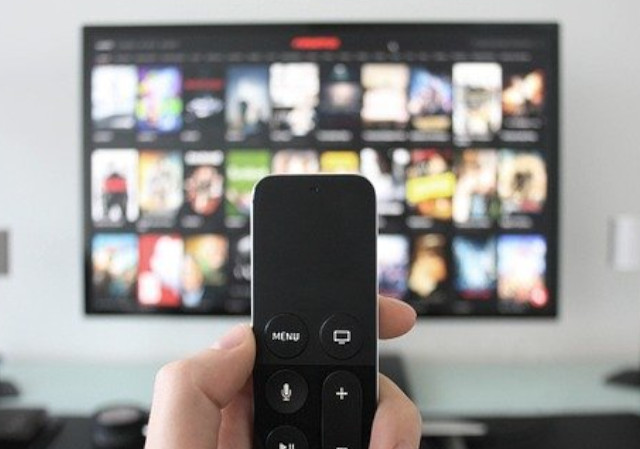
Hold down the TV/Control Center button (rectangle icon) and the Volume Down button simultaneously for about 5 seconds.
Wait for the light on the Apple TV to turn off and on again.
Wait for a "Remote Disconnected" notification on the screen, followed by "Connected".
5. Advanced Fixes
Update Software: Ensure your Apple TV is running the latest tvOS and your television has the latest firmware installed.
Toggle Settings: Turn off HDMI-CEC on both the TV and Apple TV, wait one minute, and turn them back on.
"Sleep Now" Method: Instead of just clicking the power button, hold down the TV/Control Center button and select "Sleep" from the Control Center menu.
Common Causes
Software Updates: Sometimes a TV firmware update will reset the CEC setting to "off".
Conflicting HDMI Devices: Other devices (cable boxes, game consoles) might interfere with the CEC signal.
Tktjth
February 2026

 howtomendit.com for free repair help, information and advice.